120 Days Mon - Fri From (10 AM - 10 PM) IST
Odoo

5 MIN READ

December 22, 2025

Enterprise Resource Planning (ERP) systems are critical for managing business operations, but a complex Odoo ERP backend can turn a powerful tool into a productivity drain. Cluttered menus, sluggish reporting, and interfaces that don’t adapt to mobile devices frustrate users, costing businesses time and efficiency. Research indicates employees can lose up to 20% of their workday navigating poorly designed software.
These pain points, clunky navigation, slow reporting, and lack of accessibility, hinder teams from maximizing their potential. Fortunately, a user-friendly Odoo ERP backend, enhanced by Odoo productivity apps, can transform this chaos into streamlined efficiency. By leveraging tools like Odoo dashboard apps and Odoo reporting tools, businesses can empower teams to work smarter. Let’s explore how to boost productivity with the right productivity tools for Odoo.
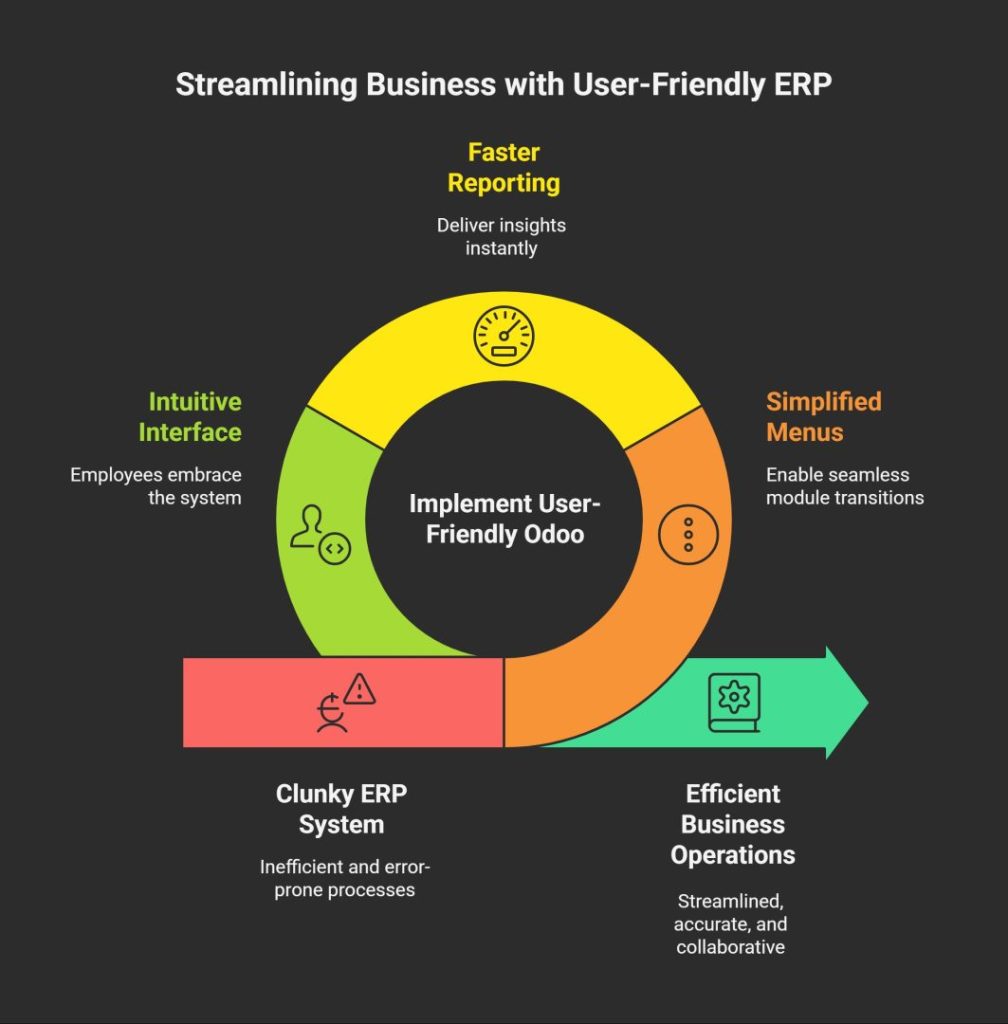
A user-friendly Odoo ERP backend is essential for driving business efficiency. When the interface is intuitive, employees spend less time wrestling with navigation and more time on core tasks. Simplified menus and layouts in Odoo productivity apps enable seamless transitions between modules like sales, inventory, or HR, saving valuable minutes. Faster reporting, powered by Odoo reporting tools, delivers insights instantly, eliminating manual data compilation. This clarity reduces errors, ensuring cleaner records and better decision-making. Moreover, a user-friendly backend boosts team adoption. When staff find the Odoo ERP backend easy to use, they embrace it fully, fostering collaboration and productivity. In 2025, businesses can’t afford a clunky ERP system investing in productivity tools for Odoo is key to staying competitive and efficient.
The Odoo ERP backend often faces productivity bottlenecks that frustrate users. Slow dashboards delay access to real-time metrics, stalling decisions. Manual reporting, like exporting data to spreadsheets, wastes hours that could be spent on strategy. Managing user permissions in a complex Odoo access management system requires constant IT intervention. Accessibility issues, such as non-responsive interfaces, limit remote teams. Productivity tools for Odoo can eliminate these challenges. An Odoo dashboard app like Dashboard Ninja delivers dynamic, real-time visualizations, making data actionable. Odoo access management tools streamline role assignments, reducing administrative overhead. Odoo reporting tools, such as financial reporting apps, automate insights for faster analysis. Customizable, responsive interfaces with shortcuts ensure users work efficiently across devices. These Odoo productivity apps turn a cumbersome backend into a productivity powerhouse.
Ksolves offers a suite of Odoo productivity apps designed to make your Odoo ERP backend intuitive and efficient. Here’s how our top apps elevate your Odoo experience:
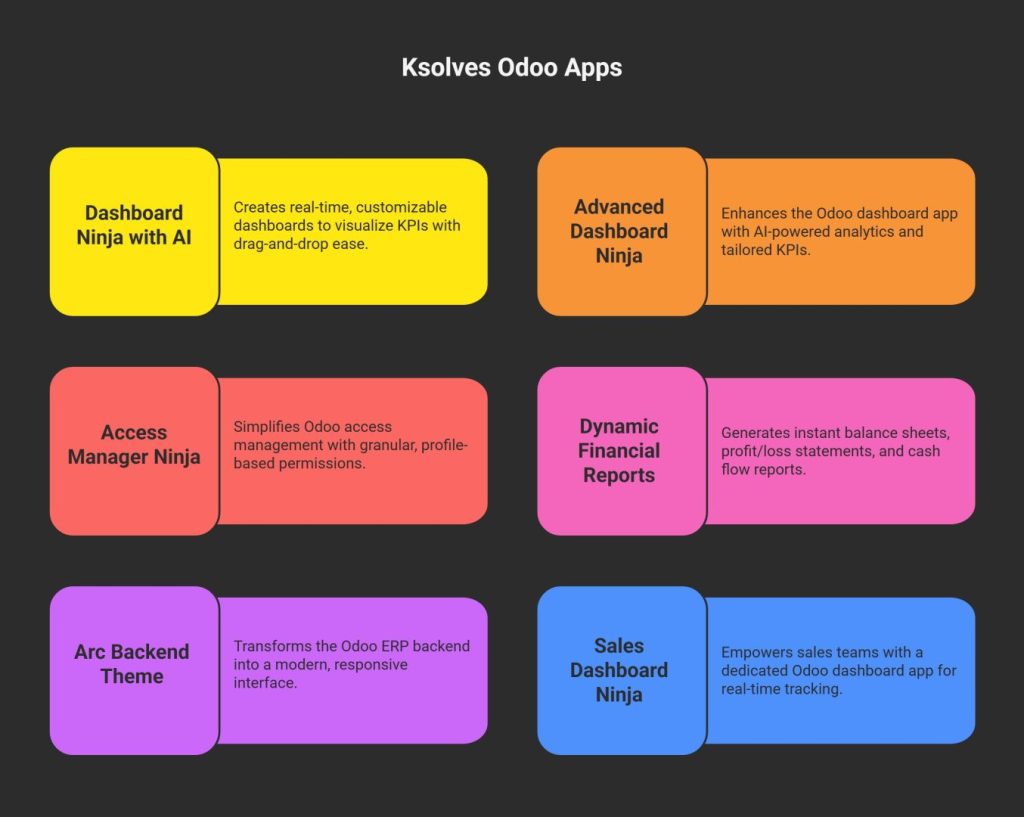
These apps, compatible with Odoo v18.0, include free installation, 120-day support, and lifetime updates. Explore them at Ksolves Odoo Store.
Ksolves’ Odoo productivity apps have transformed Odoo ERP backends for businesses worldwide. Here are three real-world examples:
These case studies highlight how Ksolves’ Odoo productivity apps solve real-world ERP challenges, driving efficiency and user satisfaction.
A user-friendly Odoo ERP backend unlocks efficiency, faster decisions, and empowered teams. By addressing bottlenecks like slow dashboards, manual reporting, and complex permissions with Odoo productivity apps, businesses can transform their ERP into a strategic asset. Ksolves’ suite including Dashboard Ninja, Access Manager Ninja, Dynamic Financial Reports, and Arc Backend Theme, delivers intuitive interfaces, real-time insights, and seamless customization. Don’t let a clunky backend hold you back.
Explore Ksolves’ Odoo dashboard app, Odoo reporting tools, Odoo access management, and Odoo financial reporting app on the Ksolves Odoo Store to make your ERP more powerful and productive.