120 Days Mon - Fri From (10 AM - 10 PM) IST
Odoo

5 MIN READ

March 23, 2026

In today’s fast-paced business environment, data is the lifeblood of decision-making. But sifting through mountains of information in Odoo can be overwhelming; until now. Enter Dashboard Ninja with AI, a game-changing Odoo app from Ksolves that leverages artificial intelligence to revolutionize how you analyze and visualize your data. This powerful tool turns complex datasets into actionable insights with minimal effort.
If you’re tired of manual dashboard setups, endless filtering, and deciphering charts, AI-powered features in Dashboard Ninja are here to transform your Odoo experience. Let’s dive into how these innovations streamline data analysis, boost productivity, and empower businesses across industries like retail, manufacturing, healthcare, and more.
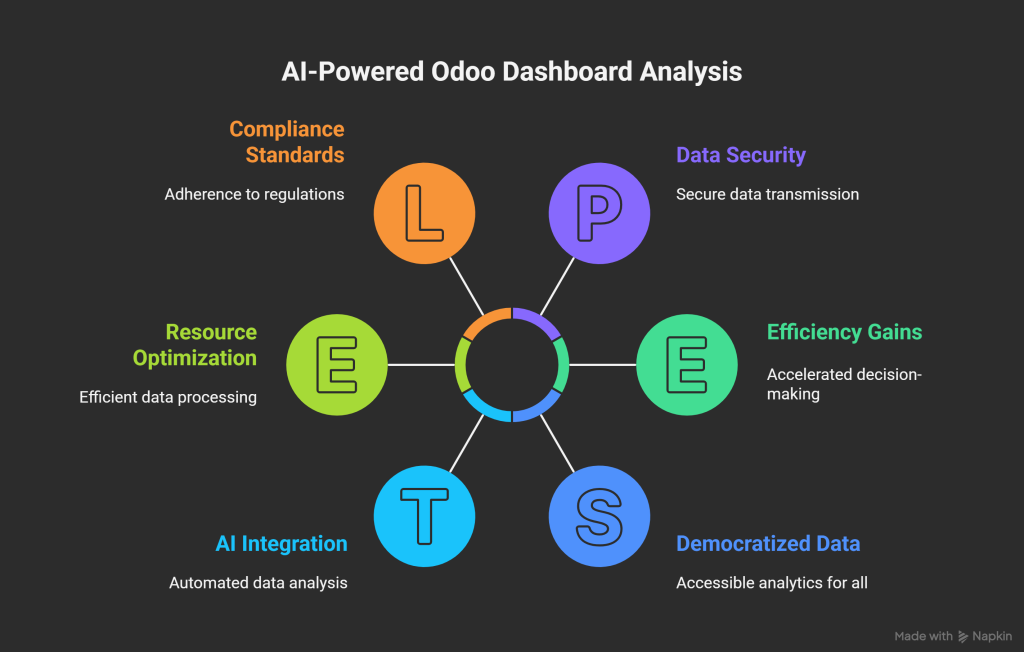
Dashboard Ninja with AI has always been a standout Odoo app for creating interactive dashboards with 17+ chart types (from tiles and line charts to funnel and radar charts). But with the integration of AI in its latest release (1.0.2, October 17, 2025), it takes data analysis to the next level. AI automates tedious tasks, uncovers hidden patterns, and provides intelligent recommendations; all while keeping your data secure (only table structures are sent to Ksolves’ AI server, never your actual business data).
No more starting from scratch. Whether you’re building a Sales Dashboard, CRM Dashboard, Inventory Dashboard, or a customized Account Dashboard, AI handles the heavy lifting. Here’s how these features are transforming Odoo data analysis:
Imagine creating a fully functional dashboard tailored to your Odoo data in just a few clicks. Dashboard Ninja’s AI analyzes your data schema and automatically assembles a complete dashboard based on a specific model (e.g., sales orders or invoices).
Result? Accelerated decision-making and a 360-degree view of your operations, all powered by AI efficiency.
Also Read – How to Build Your First Sales Dashboard in Dashboard Ninja with AI
Need specific items like a Pie Chart Dashboard or Bar Chart for quick comparisons? AI in Dashboard Ninja lets you generate individual dashboard items effortlessly.
This feature democratizes data, turning every team member into a data analyst and fostering a culture of informed decisions.
Also Read – How the Real Estate Industry can benefit from Dashboard Ninja
Sometimes, all you have is a keyword or phrase to guide your analysis. Dashboard Ninja’s AI turns vague ideas into precise, insightful items.
By focusing on keywords, AI helps uncover niche insights, transforming raw data into strategic advantages.
Also Read – Boost Your Retail Sales with Inventory Dashboard Ninja
Charts are great, but interpreting them can be time-consuming. Dashboard Ninja’s AI extracts insights from any chart with a single click, providing clear, context-rich explanations.
For teams in IT, NGOs, or media, this means faster reporting and collaboration, with insights shared via internal chat features right on the dashboard.
Also Read – How to Create Stunning Dashboards with Dashboard Ninja: A Step-by-Step Guide
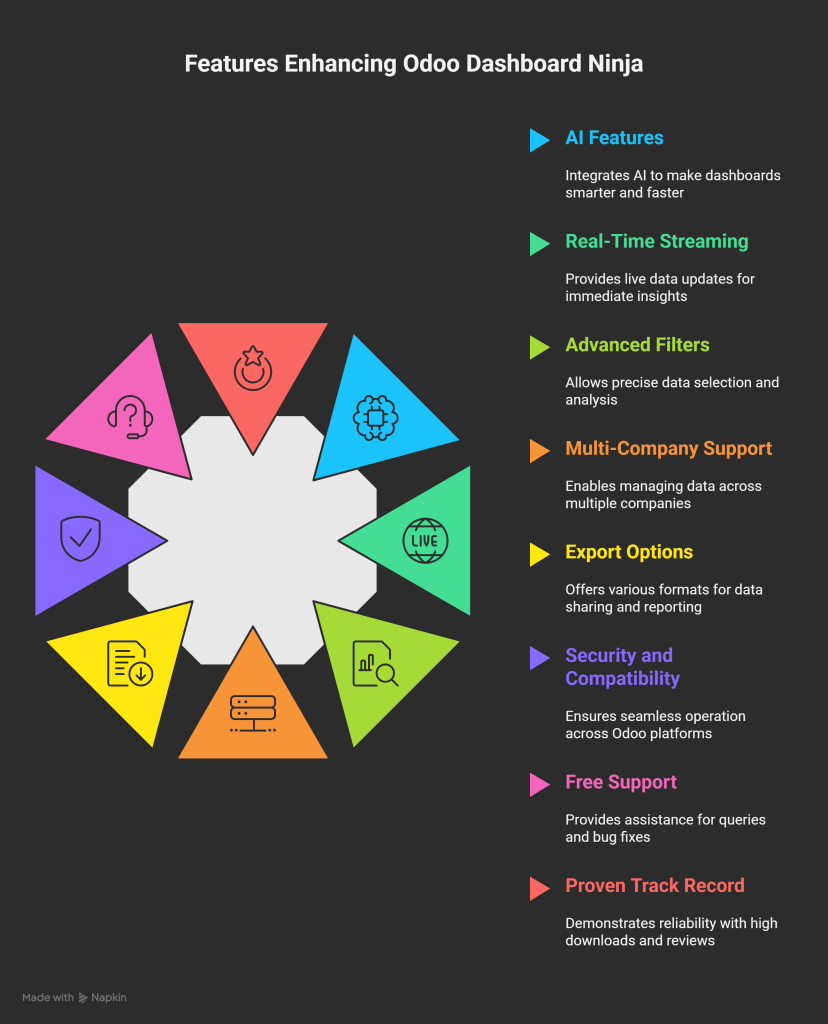
These AI features aren’t just add-ons; they’re transformative tools that make Odoo dashboards smarter, faster, and more intuitive. Combined with other perks like real-time streaming, advanced filters, multi-company support, and export options (Excel, CSV, PDF, PNG), Dashboard Ninja with AI stands out as the ultimate Odoo dashboard solution.
Whether you’re in retail tracking e-commerce metrics or finance monitoring audits, AI-powered Dashboard Ninja turns data overload into opportunity.
Don’t settle for static reports; embrace AI-driven dashboards that evolve with your business. Schedule a free demo today at https://bit.ly/3TIeZQw or contact Ksolves at [email protected] / 1800 121 0218.