Odoo>A Guide to Flawless WooCommerce ERP Integration: 5 Mistakes to Skip
A Guide to Flawless WooCommerce ERP Integration: 5 Mistakes to Skip
Odoo
5 MIN READ
March 26, 2026
In the ever-evolving e-commerce landscape, efficiency and synchronization are everything. Businesses running WooCommerce often choose to integrate it with an ERP system like Odoo to automate workflows, manage inventory in real time, and centralize customer and sales data.
However, the road to integration isn’t always smooth. Many organizations fall into common traps that lead to data mismatches, workflow delays, and lost productivity.
Here are the five biggest mistakes to avoid when connecting WooCommerce to your ERP system and how to make your integration journey seamless and successful.
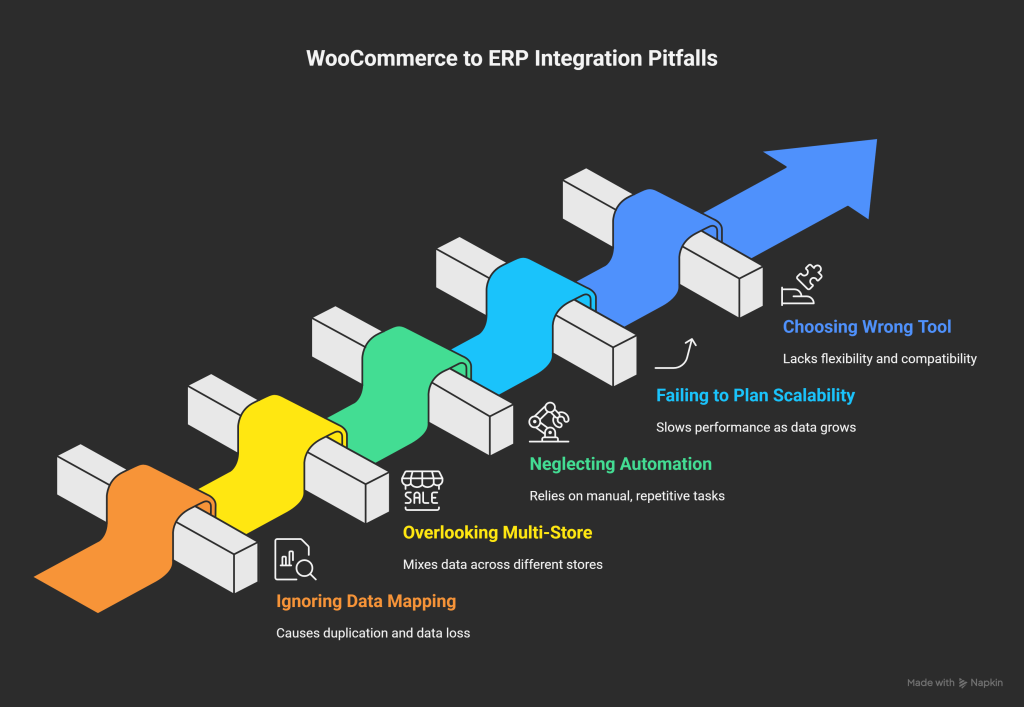
1. Ignoring Data Mapping and Synchronization Rules
Data is the foundation of every integration. Without proper data mapping, your ERP and WooCommerce systems might “speak different languages.” Misaligned product codes, mismatched order IDs, or inconsistent tax fields can cause duplication or data loss.
How to avoid it:
Map every key field (products, SKUs, categories, customers, taxes, etc.) before integration.
Define clear synchronization intervals, whether real time or scheduled.
Test the integration using small data batches before full rollout.
2. Overlooking Multi-Store Configurations
If you operate more than one WooCommerce store, ignoring multi-store compatibility can quickly become a nightmare. Without proper setup, you’ll end up mixing orders, inventory, or customer data across different stores.
How to avoid it:
Choose a connector that supports multi-store integration within a single ERP system.
Configure store-specific settings for currency, taxes, and order workflows.
Maintain centralized reporting while keeping store data independent.
3. Neglecting Automation Opportunities
Integration without automation is like buying a sports car and never driving it fast. Many businesses still rely on manual inventory updates, order confirmations, or payment tracking even after connecting their ERP and WooCommerce.
How to avoid it:
Automate repetitive operations like stock synchronization, order validation, and invoice generation.
Set up automatic alerts for low stock, failed orders, or payment discrepancies.
Use ERP workflows to trigger customer updates automatically.
4. Failing to Plan for Scalability
Your current setup might work today, but what about six months from now? As your sales volume and data grow, you need a connector that can handle scale without slowing down performance.
How to avoid it:
Opt for connectors with robust architecture and API-based communication.
Regularly assess system performance under peak loads.
Ensure your integration supports high-volume transactions effortlessly.
5. Choosing the Wrong Integration Tool
Perhaps the most costly mistake is picking a connector that looks good on paper but lacks real-world flexibility, support, or compatibility with your ERP version. Many tools require complex customization or fail to sync critical fields.
How to avoid it:
Evaluate connectors that are built specifically for WooCommerce–Odoo integration.
Ensure continuous version compatibility and reliable support.
Look for tools with strong documentation, demo access, and proven client reviews.
The Smarter Way to Connect: Ksolves’ Odoo WooCommerce Connector
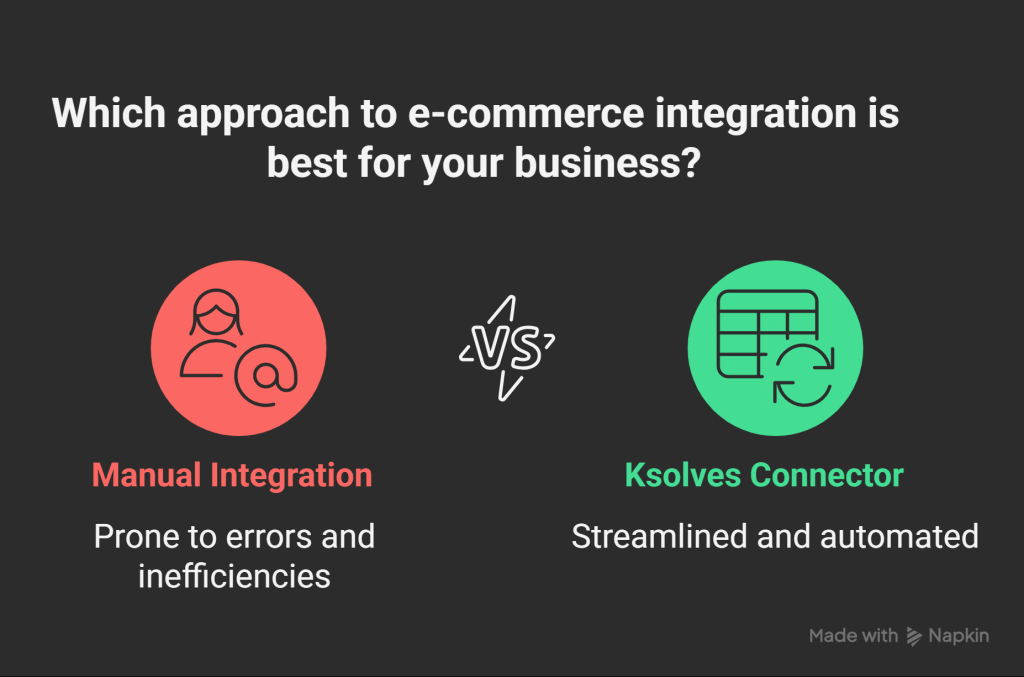
If you want to avoid these pitfalls altogether, Ksolves’ Odoo WooCommerce Connector is your ideal solution. Designed to deliver flawless synchronization between WooCommerce and Odoo, this connector ensures that your e-commerce operations are streamlined, automated, and error-free from inventory to invoicing.
Powerful Features of Odoo WooCommerce Connector You’ll Love
Multi-Store Integration: Connect and manage multiple WooCommerce stores under a single Odoo database, keeping everything centralized yet organized.
Two-Way Real-Time Sync: Seamlessly sync products, orders, stock, and customer data between Odoo and WooCommerce instantly and automatically.
Automated Workflows: Automate critical operations like order creation, inventory updates, and payment validation with zero manual effort.
Centralized Dashboard: Monitor every integration activity, synchronization log, and store performance from one intuitive interface.
Advanced Product Management: Automatically sync variations, categories, price lists, and stock levels to maintain product consistency across platforms.
Error Handling and Smart Logs: Detects issues instantly with comprehensive logs and error alerts to ensure smooth synchronization.
Flexible Configuration: Customize synchronization frequency, select data direction, and configure per-store preferences based on your business needs.
Save Valuable Time: Automate time-consuming tasks like data entry, order syncing, and inventory updates to focus on what truly matters; growing your business.
Ensure Unmatched Accuracy: Keep your e-commerce and ERP systems perfectly aligned with real-time, error-free data synchronization.
Scale with Confidence: Effortlessly manage thousands of products, customers, and transactions without performance lags or system breakdowns.
Deliver Exceptional Customer Experiences: Process orders faster, update customers instantly, and maintain full visibility across every stage of the buying journey.
Conclusion: Integration That Scales With You
Integrating WooCommerce with your ERP isn’t just a technical move; it’s a business decision that defines how efficiently you operate. Avoiding the common mistakes above ensures that your integration is not just functional but powerful, scalable, and growth-driven.
WithKsolves’ Odoo WooCommerce Connector, you’re not just connecting systems; you’re connecting opportunities. Simplify workflows, enhance accuracy, and empower your business to operate as one unified ecosystem.
 120 Days