120 Days Mon - Fri From (10 AM - 10 PM) IST
Odoo

5 MIN READ

October 3, 2025


In today’s fast-paced business environment, data is the backbone of decision-making. However, extracting actionable insights from complex ERP systems like Odoo can be challenging, especially when standard reports don’t meet your needs. Enter Odoo ReportMate, a powerful app designed to streamline custom reporting, making it accessible, efficient, and tailored to your business requirements. Here are five ways ReportMate simplifies custom reporting for businesses of all sizes.
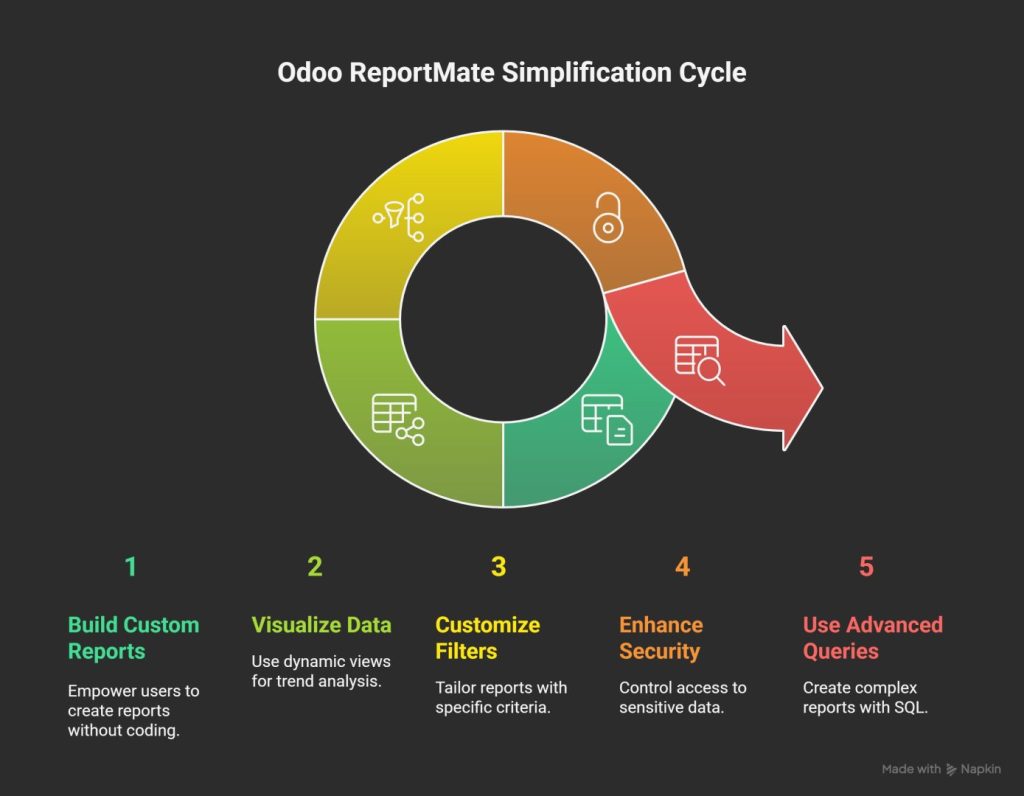
One of ReportMate’s standout features is its ability to empower non-technical users to create custom reports. With an intuitive interface, users can select any Odoo model, define field chains (even for deeply nested relationships), and generate reports in a flat data structure. No need to rely on developers for every report tweak; business users can create Tree, List, Pivot, or Graph views in minutes, saving time and boosting productivity.
For example, a sales manager can pull data from sales orders, customer details, and product categories into a single report without writing a single line of code. This self-service approach reduces bottlenecks and ensures reports align with specific business needs.
ReportMate goes beyond basic list reports by offering dynamic visualization options like Pivot and Graph views. These formats make it easier to analyze trends and patterns in your data. Want to see monthly sales performance or inventory turnover at a glance? With ReportMate, you can create interactive graphs or pivot tables to spot insights instantly.
For instance, a manufacturing firm can use a Pivot view to break down production output by product line or a Graph view to track sales trends over time. These visualizations transform raw data into actionable insights, helping teams make informed decisions faster.
Every business has unique reporting needs, and ReportMate delivers with customizable search and group filters. Users can choose which fields to include in filters or group data by specific criteria, such as date ranges, product categories, or customer segments. Additionally, ReportMate allows users to alter field values (e.g., integers, dates, or monetary fields) for precise analysis.
Imagine a retail business needing to filter sales data by region and group it by product type. With ReportMate, users can configure these filters directly, ensuring reports focus on the most relevant data without manual workarounds.
Data security is critical, especially when dealing with sensitive business metrics. ReportMate ensures your reports are only visible to authorized users through its robust group access controls. By assigning reports to specific user groups, businesses can prevent unauthorized access to sensitive data, ensuring compliance and confidentiality.
Additionally, the ReportMate Manager role allows administrators to oversee report creation and editing, giving them full control over who can modify or view reports. This feature is ideal for businesses with strict data governance policies, such as those in finance or healthcare.
For users with advanced requirements, ReportMate offers the ability to write custom SQL queries to pull precise data from Odoo’s database. This feature bypasses model-level securities (under controlled access) and allows businesses to create highly specific reports that standard tools can’t deliver. Whether it’s combining data from multiple modules or generating niche reports, custom queries provide unmatched flexibility.
For example, a logistics company could write a query to combine delivery schedules, warehouse stock levels, and customer feedback into a single report, streamlining operations and improving decision-making.
Odoo ReportMate transforms the way businesses handle custom reporting by combining ease of use, flexibility, and security. By eliminating the need for constant developer intervention, offering dynamic visualization options, and supporting advanced queries, ReportMate empowers teams to unlock the full potential of their Odoo ERP data.
Ready to simplify your reporting process and gain deeper insights into your business? Explore Odoo ReportMate today and see the difference it can make.
Do I need coding skills to use ReportMate?
No, it’s user-friendly for non-technical users. You can build reports via a simple interface, though advanced users can use custom SQL queries.
What report formats does ReportMate support?
Tree/List for detailed tables, Pivot for summarized data, and Graph for visual trends, all customizable across any Odoo model.
How does ReportMate secure my reports?
You can restrict access to specific user groups, and the ReportMate Manager role (default for admins) controls who can create or edit reports.
Can ReportMate handle complex data?
Yes, it flattens nested data from multiple models into a single view, making it easy to access and analyze without multiple clicks.
Can I customize filters in reports?
Yes, you can set up search and group filters on chosen fields and even modify values like dates or numbers for tailored insights.
Does ReportMate allow custom SQL queries?
Yes, advanced users can write SQL queries to pull specific data, bypassing model securities with controlled access.
Which Odoo versions work with ReportMate?
It supports Odoo 10.0 to 19.0, compatible with Community, Enterprise, Odoo Online, Odoo.sh, and On-Premise.
What industries benefit from ReportMate?
Any industry using Odoo, like manufacturing (inventory reports), retail (sales trends), hospitality (guest data), and finance (financial metrics).